
IGEL Blog

A New Way to Deliver Windows Apps to IGEL OS with IMH Published Apps
At IGEL, we believe in choice. The choice of several editions and add-on packs to best suit your requirements. The choice of running your management plane on-premises, cloud-hosted, or as-a-service. The choice of which vendors to embrace in your tech stack through our extensive IGEL Ready ecosystem of hardware and software alliance partners. And the choice of how you deliver applications to users on IGEL OS – virtual desktops, enterprise browsers, local Linux apps, Progressive Web Apps (PWAs), virtual machines, and/or containers. Today we’re excited to announce a new way to deliver Windows apps to your users based on IGEL Managed Hypervisor™ – introducing IMH Published Apps.
What are IMH Published Apps?
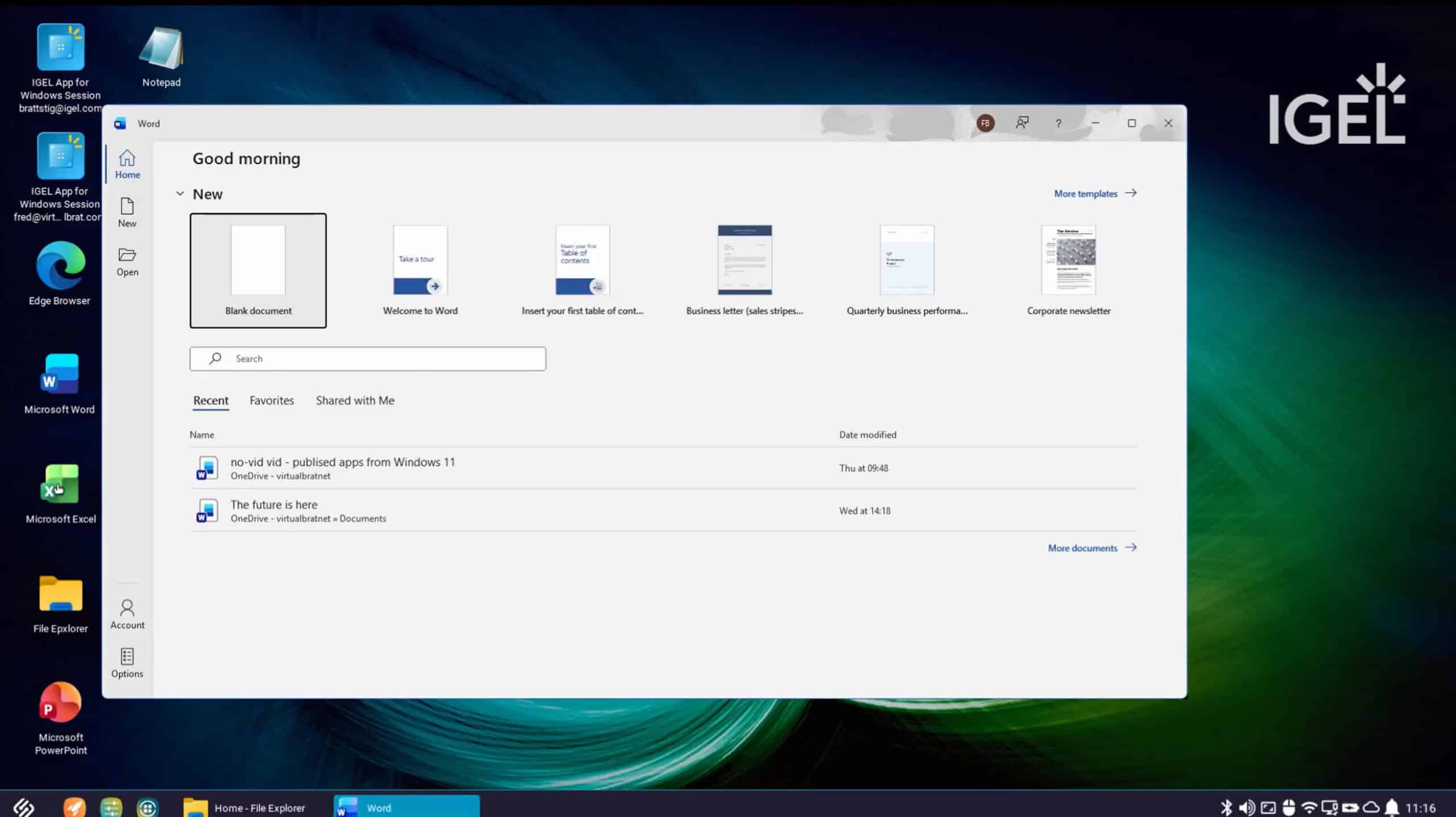
IMH Published Apps are an exciting new delivery model based upon the IGEL Managed Hypervisor™ to provide Windows apps that seamlessly integrate within IGEL OS and run locally on the endpoint device. The result is a secure, integrated experience for many kinds of apps and use cases – a clinician working with medical imaging software, a designer creating blueprints in a specialized visualization solution, or a developer working on .NET apps and scripts.
Here are some features and benefits…
- Applications execute locally within a Windows 11 virtual machine on the endpoint providing great overall performance
- Broad peripheral device support through either the virtual channels in the RDP protocol and zero latency or with the hypervisor hardware abstraction layer (device forwarding/PCI forwarding)
- The VM and its lifecycle is managed through IGEL’s Universal Management Suite (UMS) including power control, pushing new images, VM permissions, and more.
- Single sign-on with Entra ID and Active Directory are both supported.
- Users connect to the applications through the Microsoft RDP app on IGEL OS.
IMH Published Apps in Action
Let’s take a look at how this works and the integrated user experience. Here is an example high-level use case…
- An IGEL OS 12 endpoint is prepared with a Windows 11 VM running on IGEL Managed Hypervisor
- The user logs in to the IGEL OS system with an Entra ID account
- Shortcuts to all apps, including Windows IMH Published Apps, are available on the IGEL OS desktop
- IMH Published Apps look and feel native and are integrated within the taskbar
- Documents are saved and accessed from Microsoft OneDrive
- Admins can configure apps and icons, content redirection, printing, and various other settings based on requirements
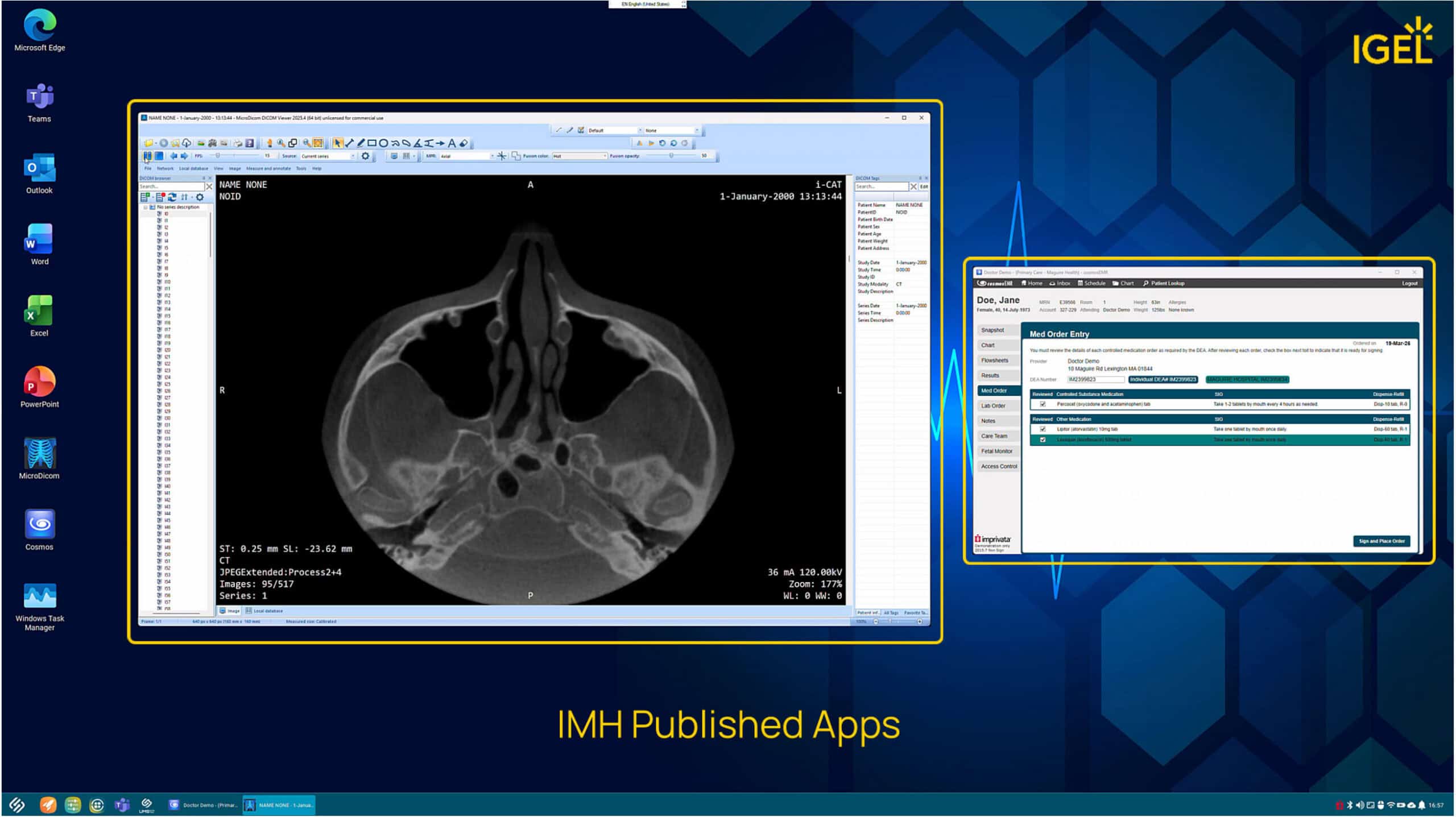
Windows healthcare apps running seamlessly on IGEL OS from a local virtual machine
Get ready for IMH Published Apps Today!
These are the core components of what’s required:
- IGEL OS 12 Enterprise/Healthcare/Gov environment
- IGEL Managed Hypervisor add-on subscription
- Windows 11 VM image
- Modern x86 endpoint with 8GB+ RAM and 250GB+ disk
- IGEL for Windows app
Stay tuned for more details and a step-by-step installation and configuration guide. Coming Soon!
For questions and comments, join the discussion on our IGEL Community Slack instance within the #igel-managed-hypervisor channel. We can’t wait to see what use cases and apps our customers will dream up with IMH Published Apps.